Everything between a recorded video and a checked certificate
FreightReady is one platform for the training your sites run: courses your crews finish on a phone, required training by site, certificates anyone can check, and the reports to show for it.
Five parts
One platform, five parts
Each part is in the product today. Open one for the detail.
Training and courses
Video lessons, checks and releases crews finish on a phone
Certificates and verification
Certificates anyone can check by number or QR code
Compliance reporting
Who is current, by site, with audit exports
Branding and sign-in
Your name, logo and sign-in page, with passkeys and single sign-on
Integrations
API, webhooks, LTI, OneRoster, SCORM and calendar feeds
How it fits together
From your procedure to a record anyone can check
- AuthorBuild a course from video, text, files and checks.
- RequireSet it for a site, a cohort or named people.
- LearnCrews finish lessons on any screen and mark them complete.
- CertifyCompletion earns a numbered certificate.
- CheckAnyone checks it by number or QR code.
1 · Author
Build courses from your own procedures
Instructors build lessons from what you already have and preview them as a learner before publishing.
- Video, text, images, files, checklists and quick checks
- Each change publishes as a new release
- People already enrolled keep the release they started

- Release 1 is live; learners stay on the release they started
- The lesson’s video, text and checklist, in order
2 · Require
Required training that follows the site
Set what each site must complete once, and see every person’s place in it.
- Require a learning path for a workspace or one site
- New starters at that site get it when they join
- Each person’s required courses and status in one place
Yennora depot · required
Yard safety · 3 required courses
- Noor HaddadYard marshalCompleted
- Ben CarterSpotterIn progress
- Ivy ChenNew starterOverdue
3 · Learn
Crews finish on the screen they have
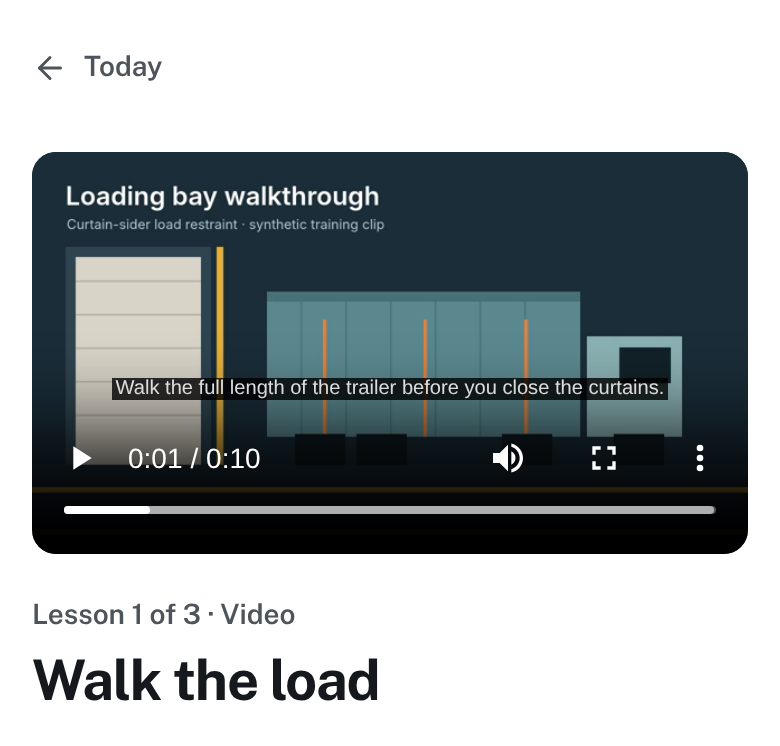
Lessons are short and play anywhere, from a phone in the yard to a screen in the crib room.
- Captions and a transcript beside every video
- Learners mark each lesson complete themselves
- Installs to the home screen like an app
4 · Certify and check
A record anyone can check
A completed course earns a numbered certificate with a QR code. Anyone can check it, any time.
- Issued in your organisation’s name, with a signatory
- Valid, expired, revoked or replaced, said in words
- No account needed to check
What a check can say
Valid
Valid until Tue, 19 Sept 2028
Valid, expires soon
Expires Tue, 10 Nov 2026, in 21 days
Expired, not valid
Expired Thu, 10 Sept 2026
Revoked, not valid
Revoked on Sun, 11 Oct 2026 by Harbourline Freight. This certificate no longer counts as current training.
Replaced, not valid
A newer certificate replaces this one
5 · Report
Show who is trained, by site
Owners see who is current at a glance, and export the evidence when an auditor or a client asks.
- Who is current at each site
- Overdue, expiring and revoked, with reminders
- Required-training audit as CSV or PDF

- Completion filtered to one site
- Expiring, expired and revoked, for each course
Screens from the product, showing a sample workspace.
Book a walkthrough
Walk the whole platform with your own training
We’ll take one of your procedures from video to a checked certificate, using your sites and roles.